 Use it, Learn it
Understand a message
Paste any message to get a translation, the key words and phrases, and the grammar, explained in your language.
1. Paste the message
Copy a message you received (an email, a chat, part of a document) and click in the Incoming box on the left. Paste it with Ctrl+V (⌘+V on Mac).
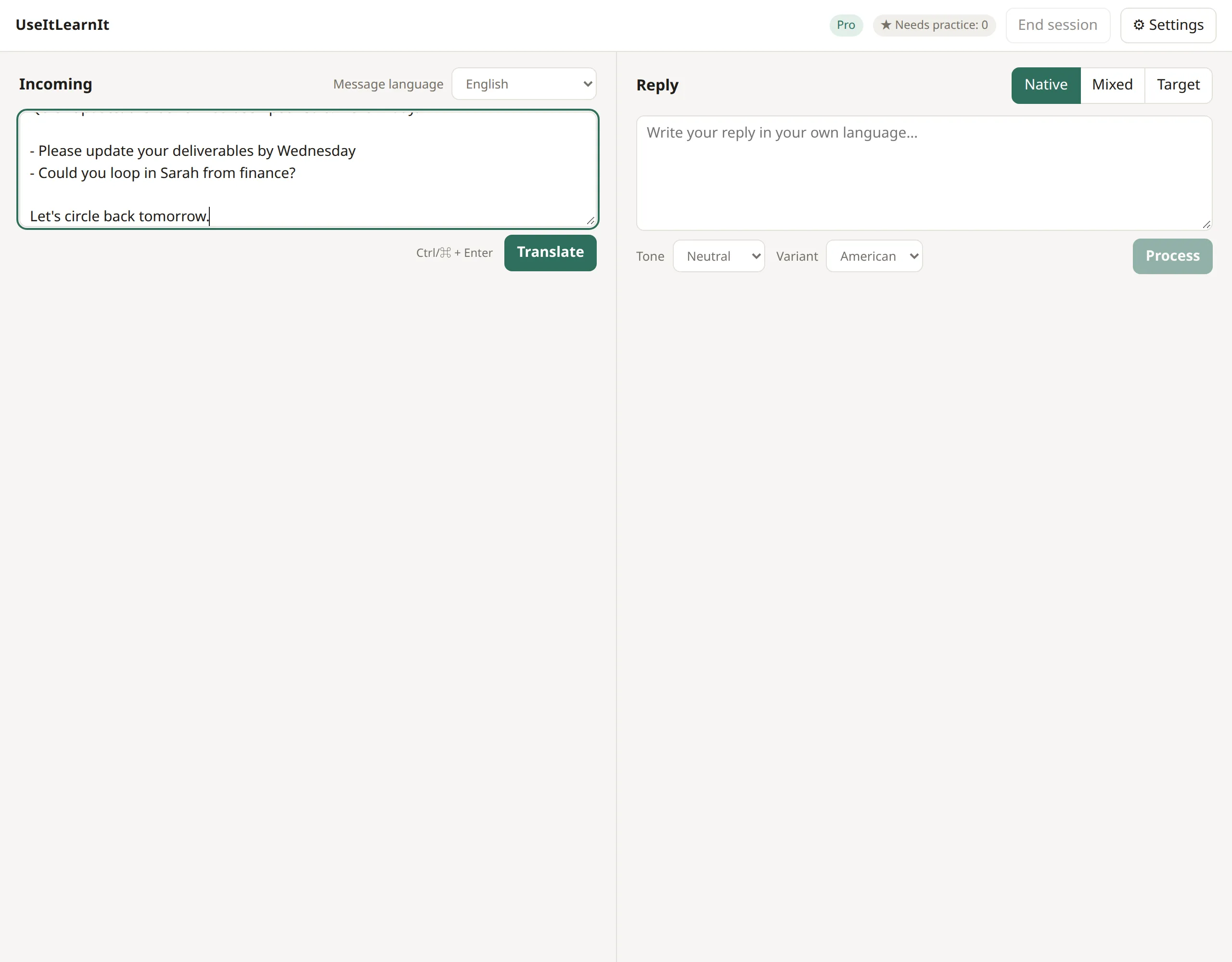
Formatting such as paragraphs and bullet lists is kept. The Message language menu normally says English; change it if the message is in another language.
2. Translate
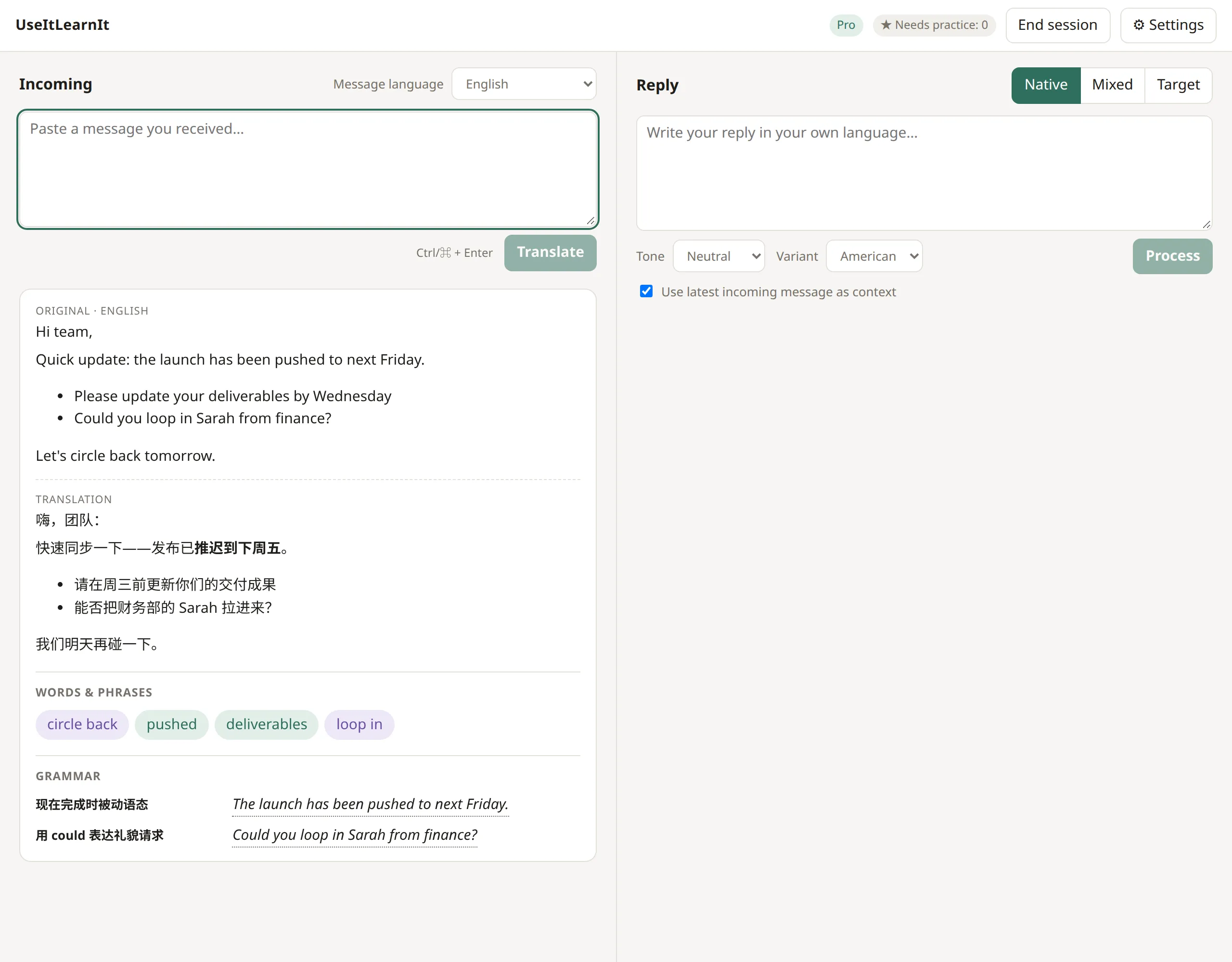
Click Translate, or press Ctrl+Enter (⌘+Enter on Mac). The translation appears in a few seconds, followed by the breakdown.
3. Explore the words and phrases
Under Words & phrases you’ll see the most useful items from the message. Green ones are single words, purple ones are phrases.
Move your mouse over any of them to see:
- the pronunciation (IPA) and part of speech,
- what it means in this message (not a list of dictionary meanings),
- a short note on how it’s used.
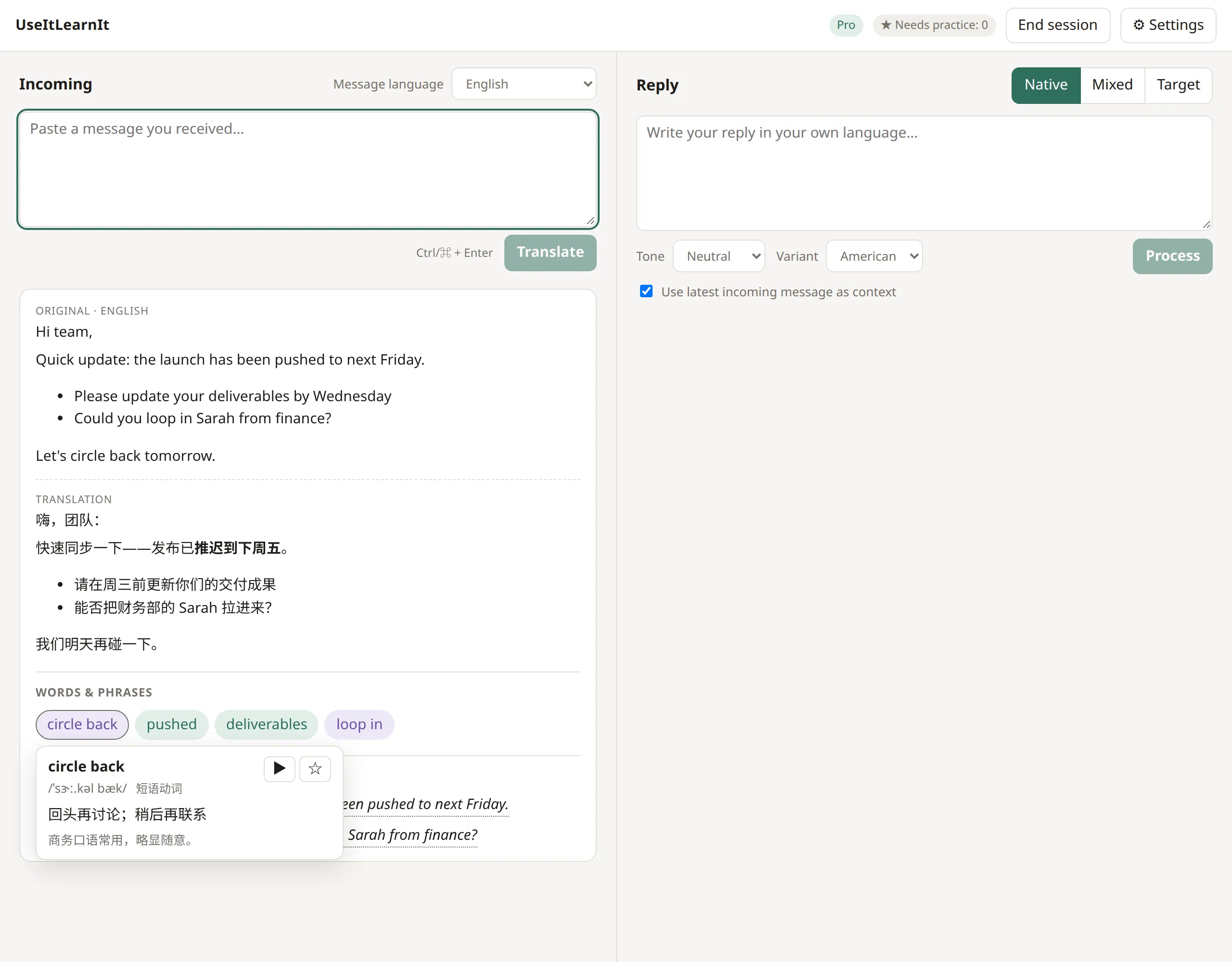
Click a word to keep its box open. In the box:
- ▶ plays the pronunciation.
- ☆ adds it to your practice list. The star fills in, and the ★ Needs practice counter at the top goes up.
Keyboard: with a word selected, press P to play it and S to add it to practice.
4. Check the grammar
Under Grammar, each row names a grammar point and shows the sentence from your message where it appears. Hover over or click the sentence for a short explanation.
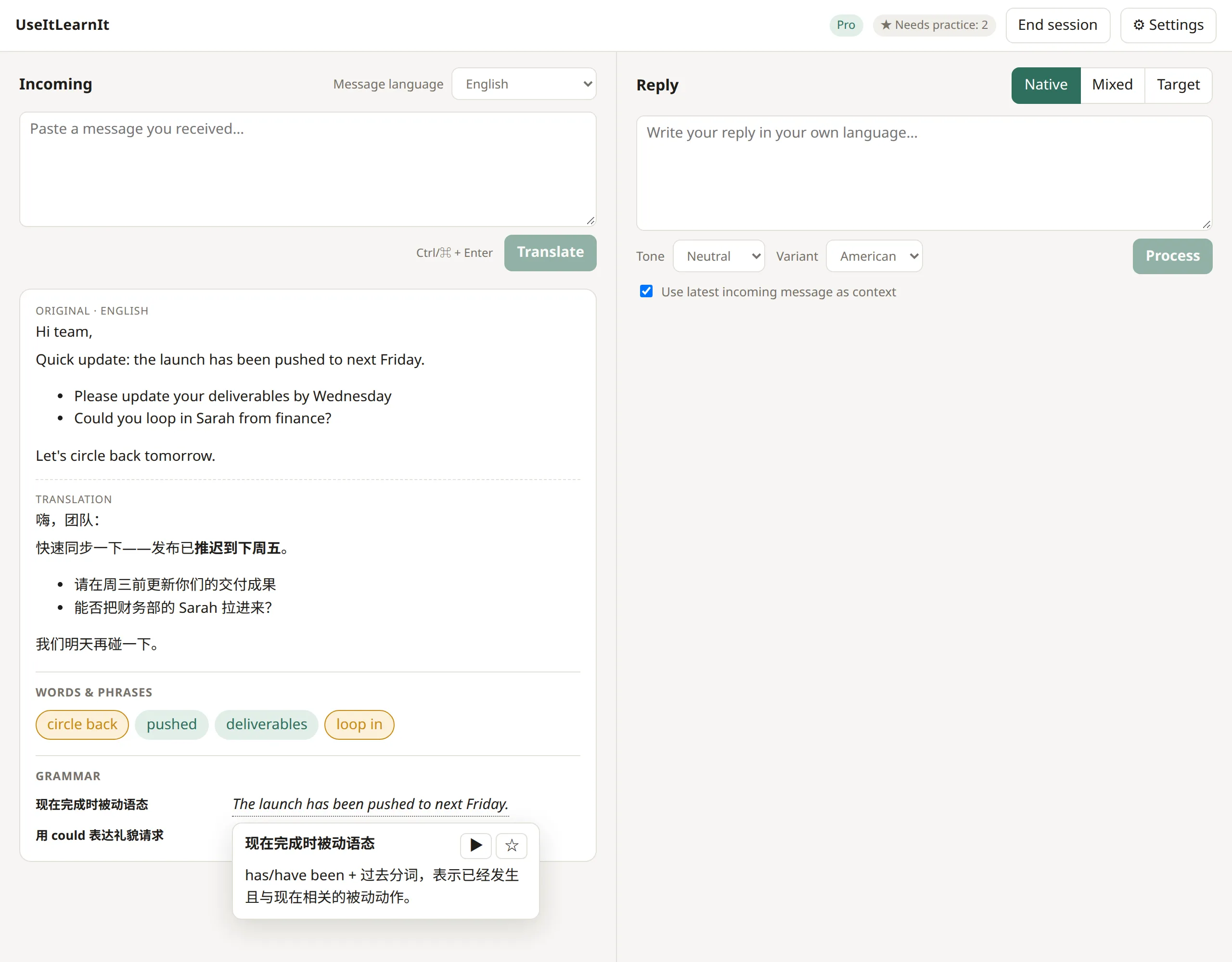
You can play the sentence or add the grammar point to practice in the same way.
What should I add to practice?
Anything you’d like to be able to use yourself. A good rule: if you had to look it up, star it. You don’t need to star everything; words you see often without starring will be counted as known after a while.
Next: write a reply.
Still stuck? Email us and a real person will help. support@useitlearnit.com · Support