 Use it, Learn it
Write a reply
Write in your own language, mix languages, or write in English. Get a reply that's ready to send, with corrections that teach.
The Reply pane on the right helps you answer. It uses the latest incoming message as context (you can turn this off with the tick box), so your reply fits the conversation.
1. Choose how you want to write
At the top right there are three modes:
| Mode | You write… | You get… |
|---|---|---|
| Native | in your own language | natural English, plus a breakdown of the words used |
| Mixed | the English you know, with your own language for the gaps | the complete English reply, plus corrections and explanations |
| Target | everything in English | a polished version, corrections, and credit for practice words you used well |
Start wherever you’re comfortable. Most people move toward Target over time, and that’s real progress.
2. Pick a tone and style
- Tone: Neutral, Formal, Business, Friendly or Casual.
- Variant: American or British English.
3. Write and press Process
Type your reply and click Process (or press Ctrl+Enter).
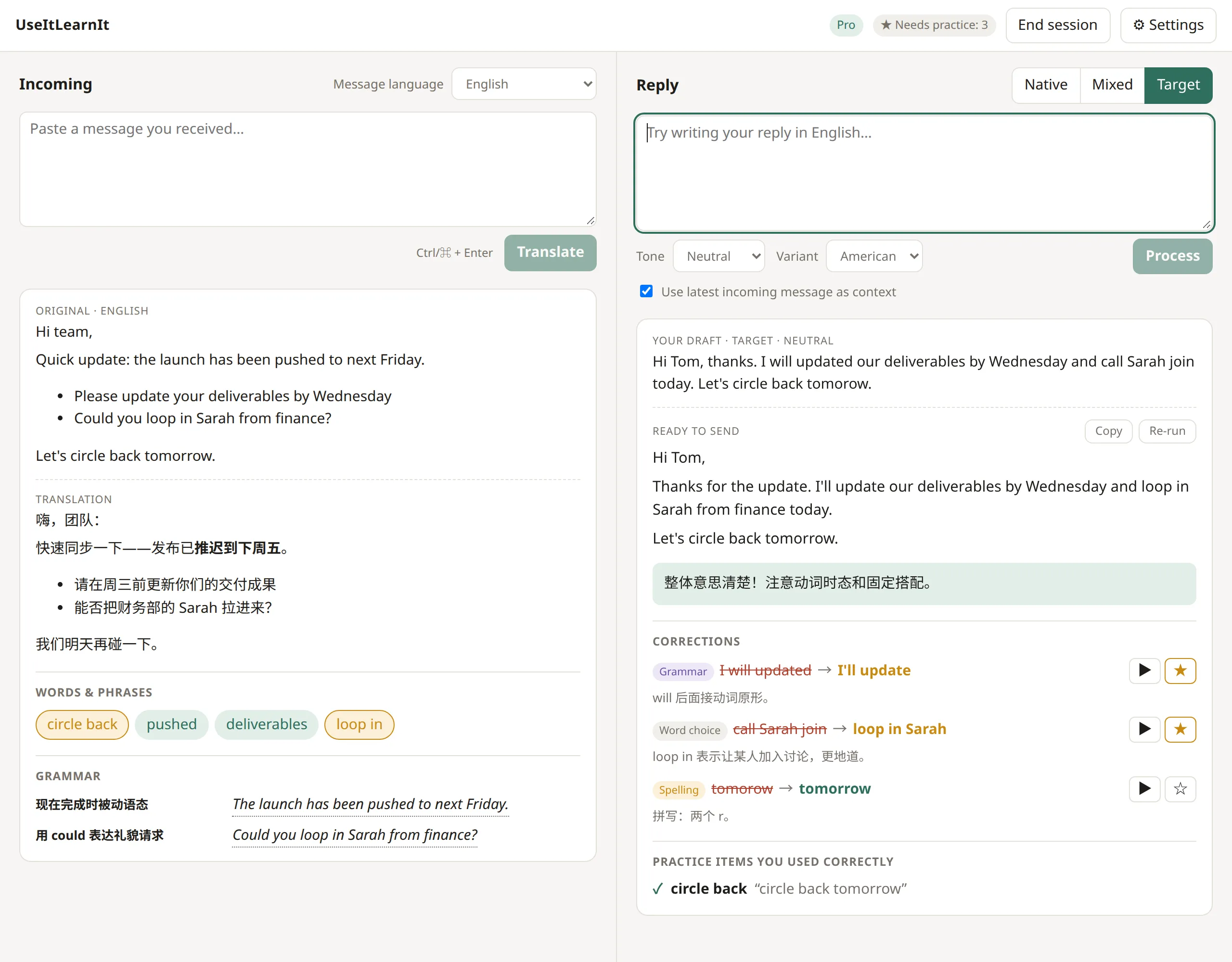
You’ll see:
- Your draft: what you wrote.
- Ready to send: the finished reply. Click Copy and paste it into your email or chat. Re-run gives you another version.
- Corrections (Mixed and Target modes): each change, labelled Grammar, Word choice, Spelling, Phrasing, Tone or Punctuation, with a short reason in your language.
- Practice items you used correctly: words from your practice list that you used well. This counts toward mastering them.
Grammar and word-choice mistakes are added to your practice list automatically. For spelling or style, click ☆ if you want to practise them.
Next: end your session and review.
Still stuck? Email us and a real person will help. support@useitlearnit.com · Support