 Use it, Learn it
Make review audio and songs
Turn your study list into a short podcast episode and a sing-along song made from your own day.
Everything is built from today’s conversations, with real names, companies, places, amounts and contact details swapped for made-up ones. About 80% of the words are ones you know and 20% are ones you’re practising, and each practice item comes up two or three times.
Make a song
-
In the review screen, choose a Song style:
Style Feels like Good for Acoustic chill Guitar, warm voice The clearest words (default) Campfire sing-along Folk, claps, a group chorus Joining in Pop anthem Catchy, slow, big chorus Getting stuck in your head Lo-fi café Mellow beat, soft voice Background listening Rhythm & chant Spoken groove, steady beat English stress and rhythm Wind-down Soft, sparse, slow Evenings Surprise me Any of the above (except Wind-down) Variety -
Click Generate song lyrics. The lyrics appear in a few seconds, with your practice phrases highlighted.
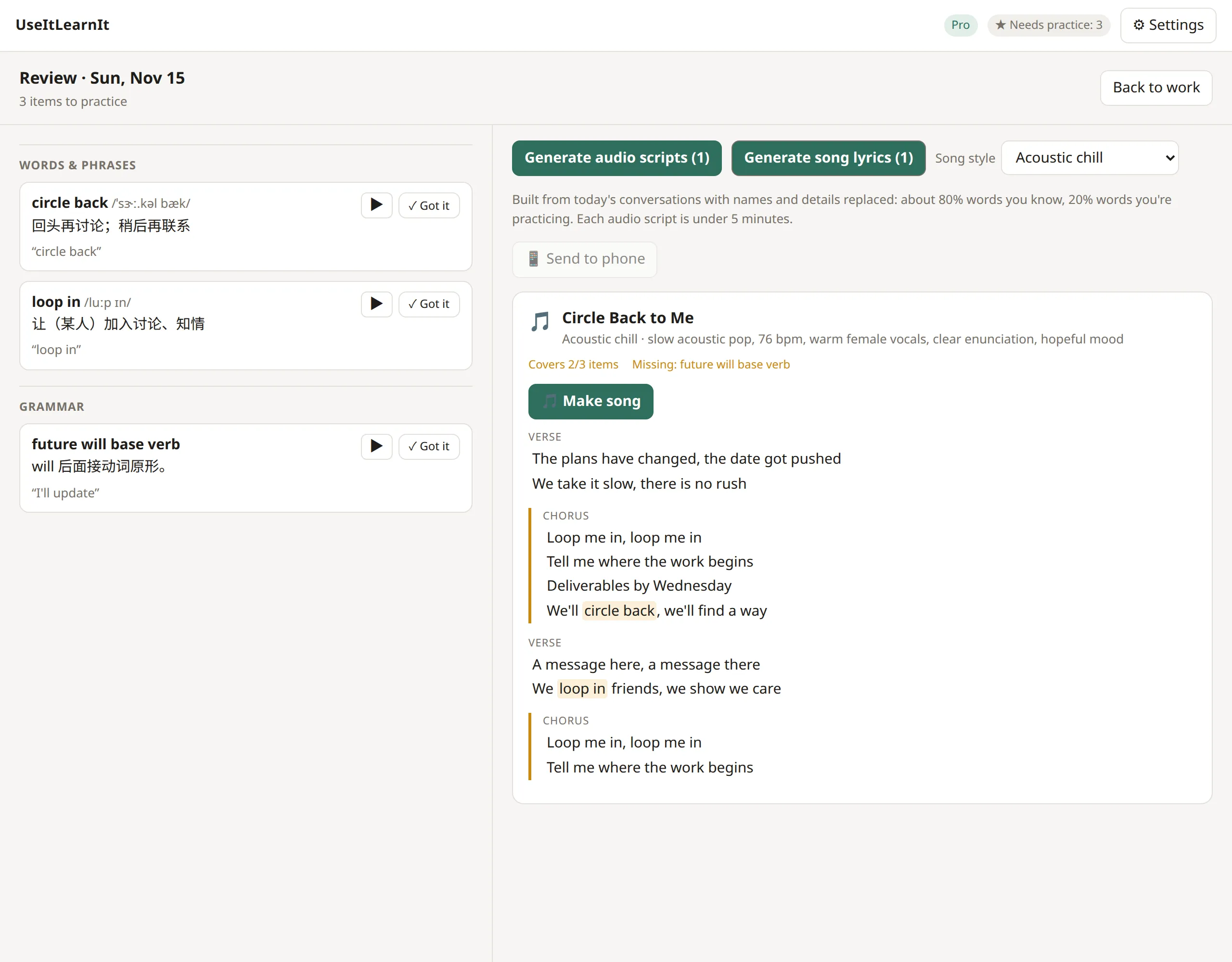
-
Read them through, then click 🎵 Make song. The music takes about 30 seconds, and you can keep working meanwhile.
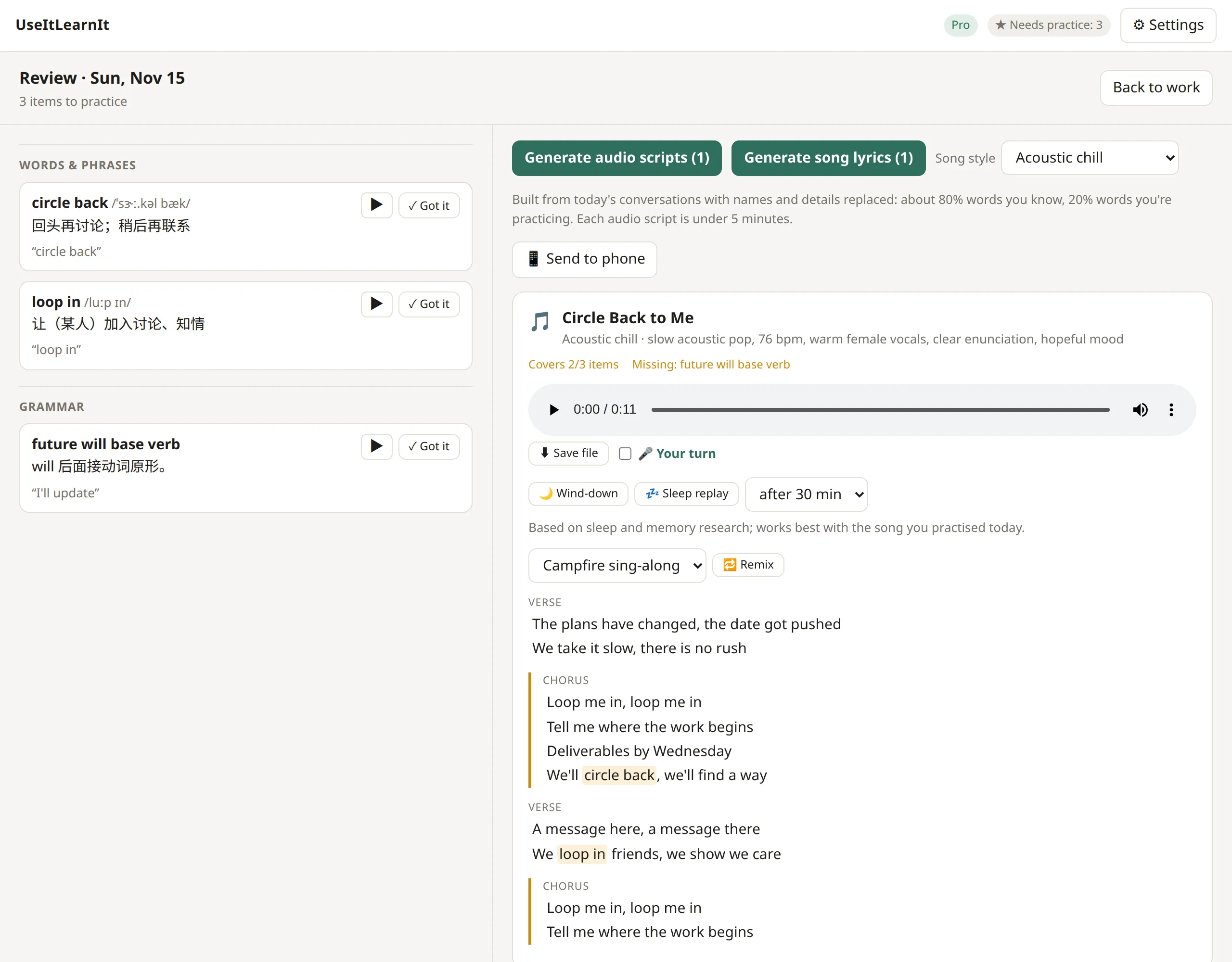
While it plays, the current line of the lyrics is highlighted.
- 🎤 Your turn: tick this and the song pauses after each chorus line so you can sing it back. Singing really does help phrases stick.
- 🔁 Remix: makes a new song from the same lyrics in another style.
- ⬇ Save file: saves the MP3 wherever you like.
Make a podcast episode
- Click Generate audio scripts. You’ll get one or more short scripts (a story or a dialogue), each under 5 minutes.
- Click Make audio file. The app records each line with natural voices, adding a translation after new words if that’s turned on in Settings.
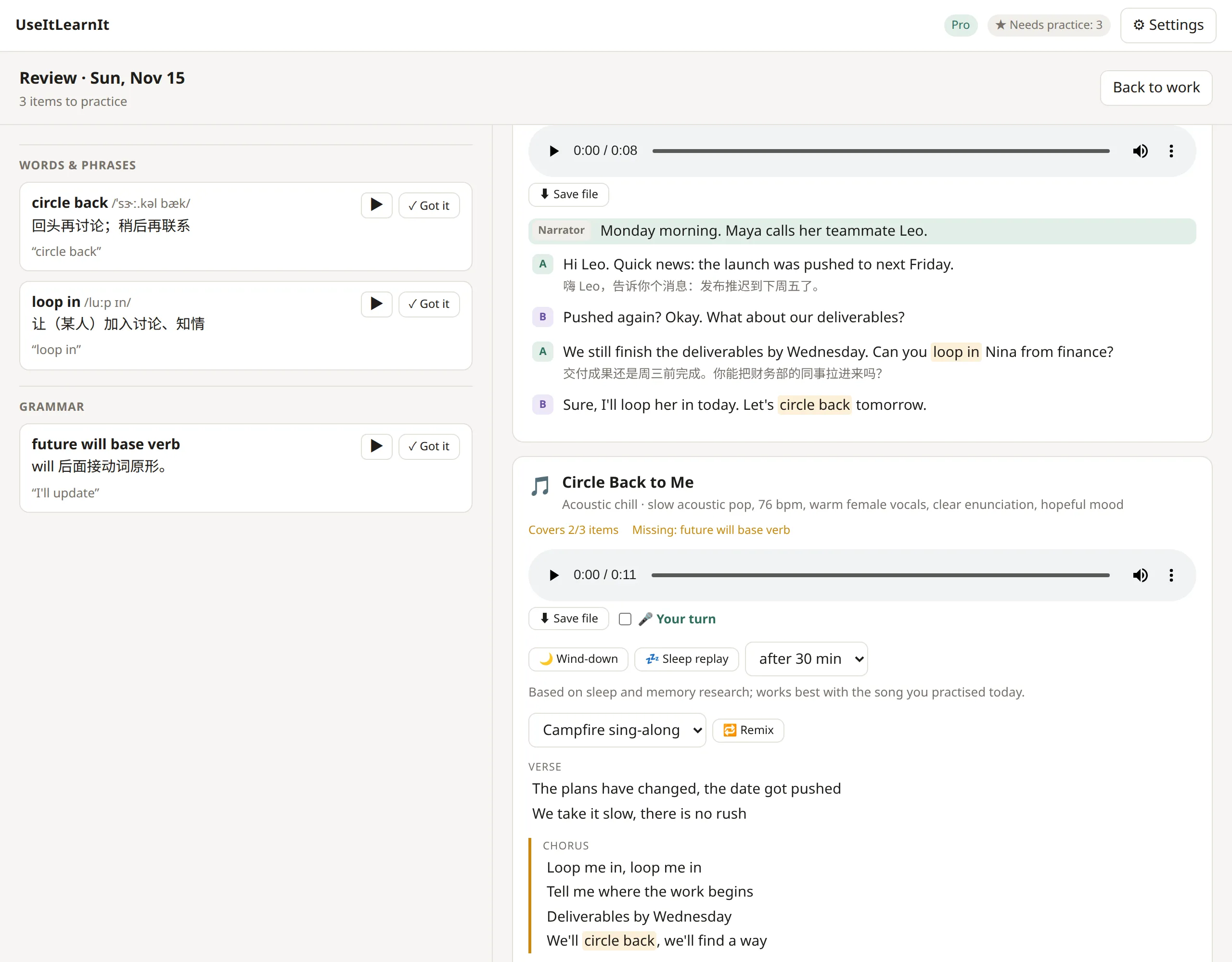
Click any line to jump to it. The line being spoken is highlighted.
What it costs
- Free plan: your first review (one song or one audio episode) is free.
- Pro and Pro Plus: songs and audio use credits from your monthly allowance. A song is 15 credits; a 5-minute episode is about 10. Writing the scripts and lyrics is free. See Account, credits and Pro.
Tip: you can change voices, speaking speed and spoken translations in ⚙ Settings → Review audio.
Still stuck? Email us and a real person will help. support@useitlearnit.com · Support