 Use it, Learn it
Account, credits and Pro
See your credits, upgrade to Pro, activate your license and top up.
Open ⚙ Settings. The first two sections are Account and Plan.
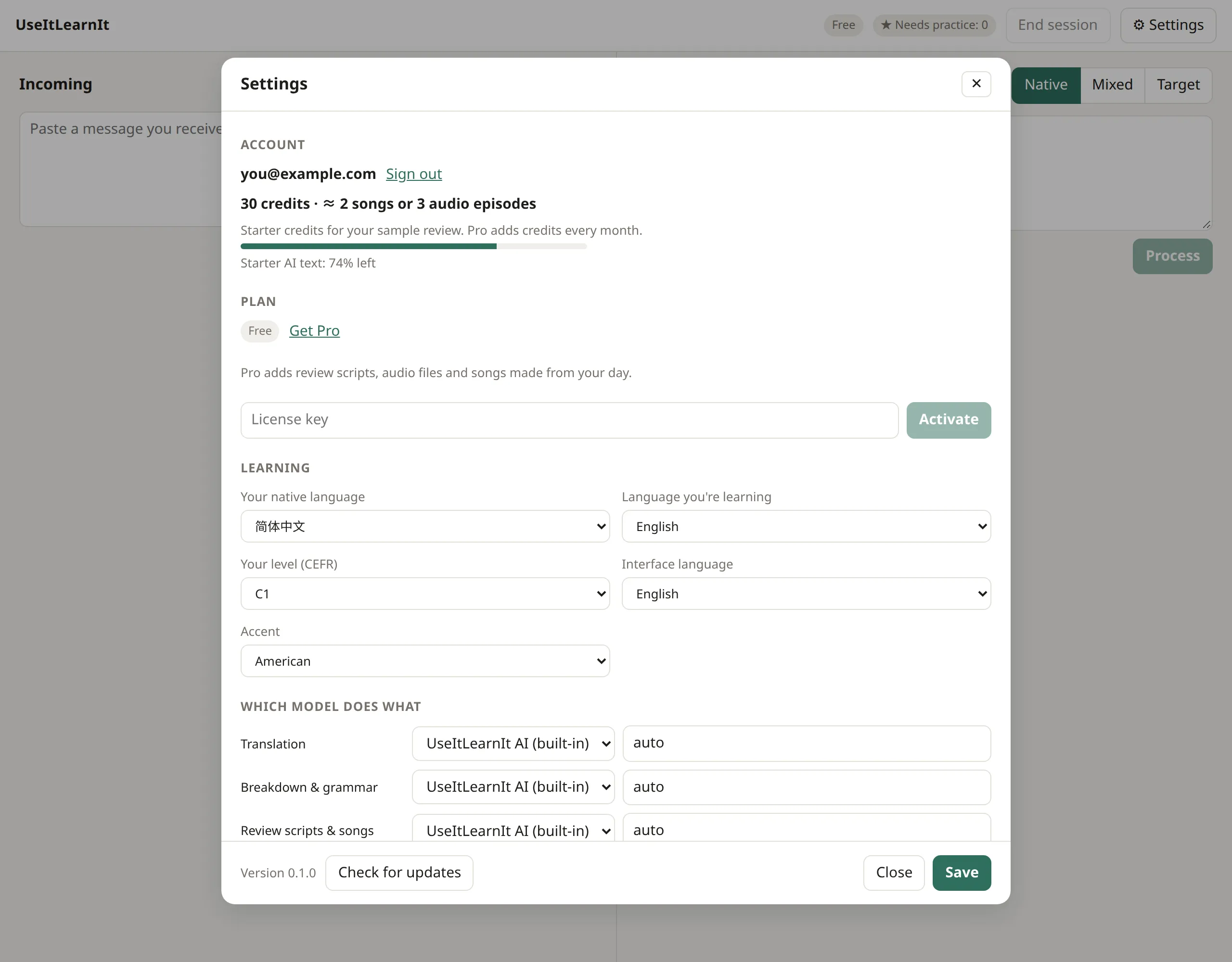
Your account
- The email you’re signed in with, and Sign out.
- Your credits, shown as what they make: “≈ 2 songs or 3 audio episodes”.
- On the Free plan, how much starter AI you have left.
What credits are for
Only audio and songs use credits. Translation, breakdowns, writing help and review scripts don’t.
| Credits | |
|---|---|
| A song (or a remix) | 15 |
| A 5-minute audio episode | about 10 |
- New accounts get 30 starter credits that never expire.
- Pro adds 450 credits every month; Pro Plus adds 1,200.
- Unused monthly credits carry over for one month.
Upgrade to Pro
- Click Get Pro in Settings (or visit the pricing page) and complete checkout.
- Your license key arrives by email from Lemon Squeezy.
- In ⚙ Settings → Plan, paste the key into License key and click Activate.
The plan badge at the top changes to Pro. If you’re signed in, the built-in AI switches to Pro straight away.
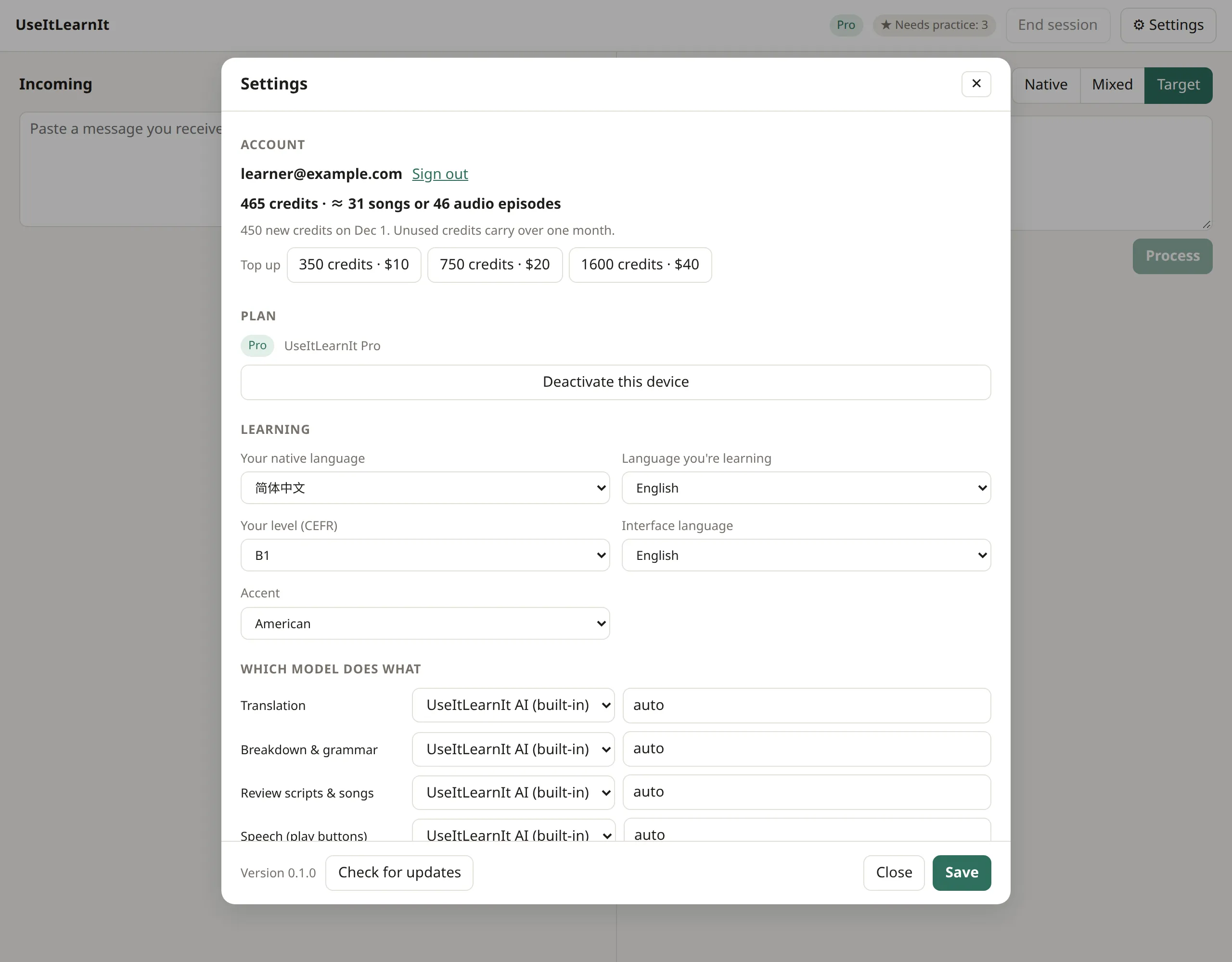
Top up
Running low in a busy month? On Pro or Pro Plus, the Top up buttons under your credits open checkout for an extra pack (350, 750 or 1,600 credits). The credits appear in your account a moment after you pay, and they last 12 months.
Move to a new computer
Install the app on the new computer and sign in with the same email. To move your license, click Deactivate this device on the old computer, then activate the key on the new one.
Cancel
Use the link in your Lemon Squeezy receipt email to manage or cancel your subscription. Pro stays active until the end of the period you paid for.
Still stuck? Email us and a real person will help. support@useitlearnit.com · Support